The AI study app for iPhone & iPad
StudiSpace turns your class material into notes, flashcards, quizzes and explanations — and puts all of it in your pocket for the ten minutes before an exam.
Free to download • Works with your existing StudiSpace account
Built for studying away from a desk
The phone app is not a smaller version of the website. It is the part of studying that happens between everything else.
AI Photo Homework Solver
Snap a photo of a handwritten equation, a textbook problem or a labelled diagram, and the AI homework solver walks you through every step with the reasoning behind it, not just the final answer. It works across math, chemistry, biology and the humanities, so the same camera covers a calculus problem set and a history reading.
Synced AI Flashcards & Study Sets
PDFs, YouTube lectures, slides and study sets you upload on your laptop sync to your iPhone and iPad in real time. There is nothing to export, email or re-upload: the AI flashcards and note summaries you made at your desk are waiting the moment you open the app.
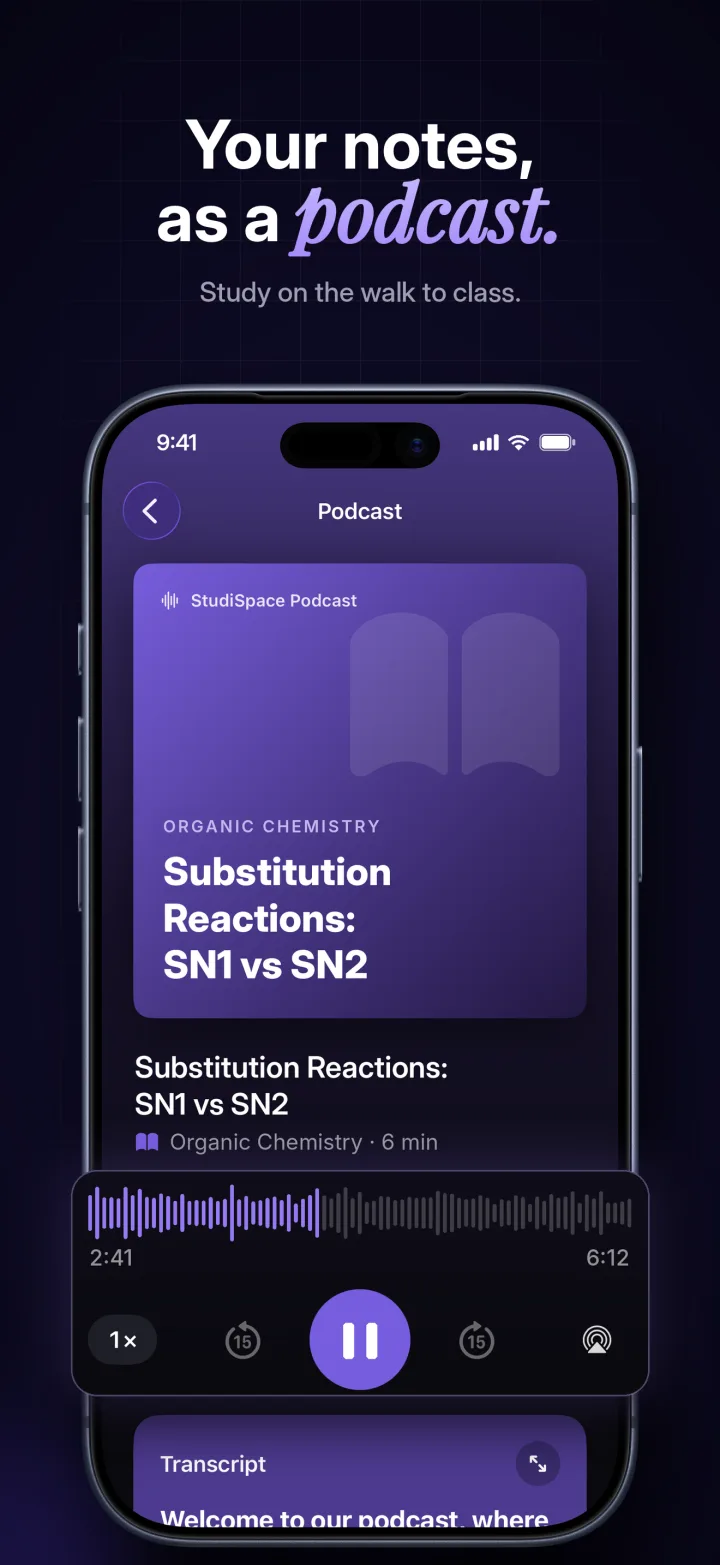
PDF to Audio Study Podcasts
Turn dense lecture notes and long PDFs into a conversational audio podcast episode that explains the material the way a study partner would. It keeps playing with your screen locked, with controls on the lock screen, so you can review on the bus, at the gym or on the walk to campus.
Quick Active Recall & AI Quizzes
Built for the ten minutes before a lecture. Short sessions mix AI quizzes, spaced-repetition flashcards and an AI study tutor that is there 24/7, so you find your weak spots before the exam does. Ask why an answer was wrong and the explanation comes from your own notes.
A look at the StudiSpace app on iPhone & iPad
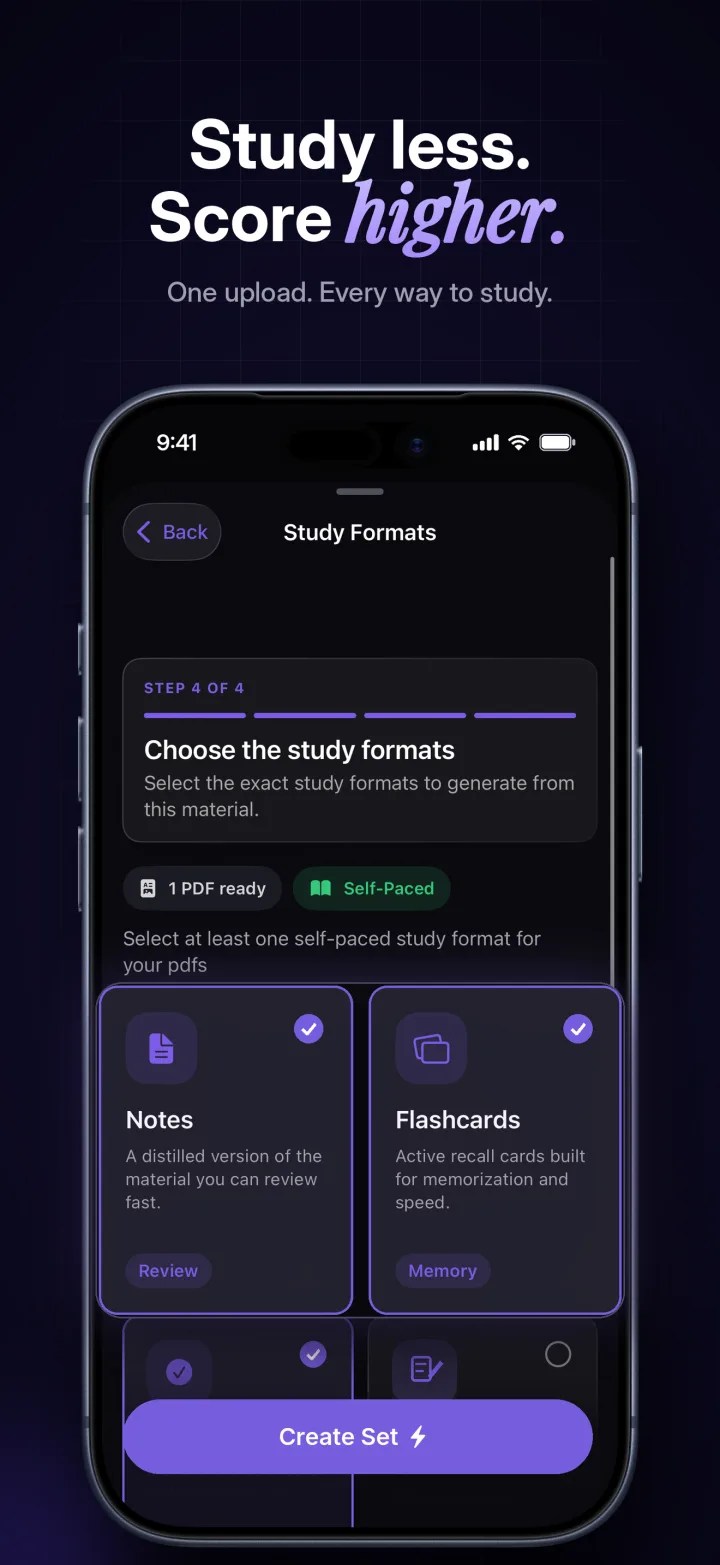
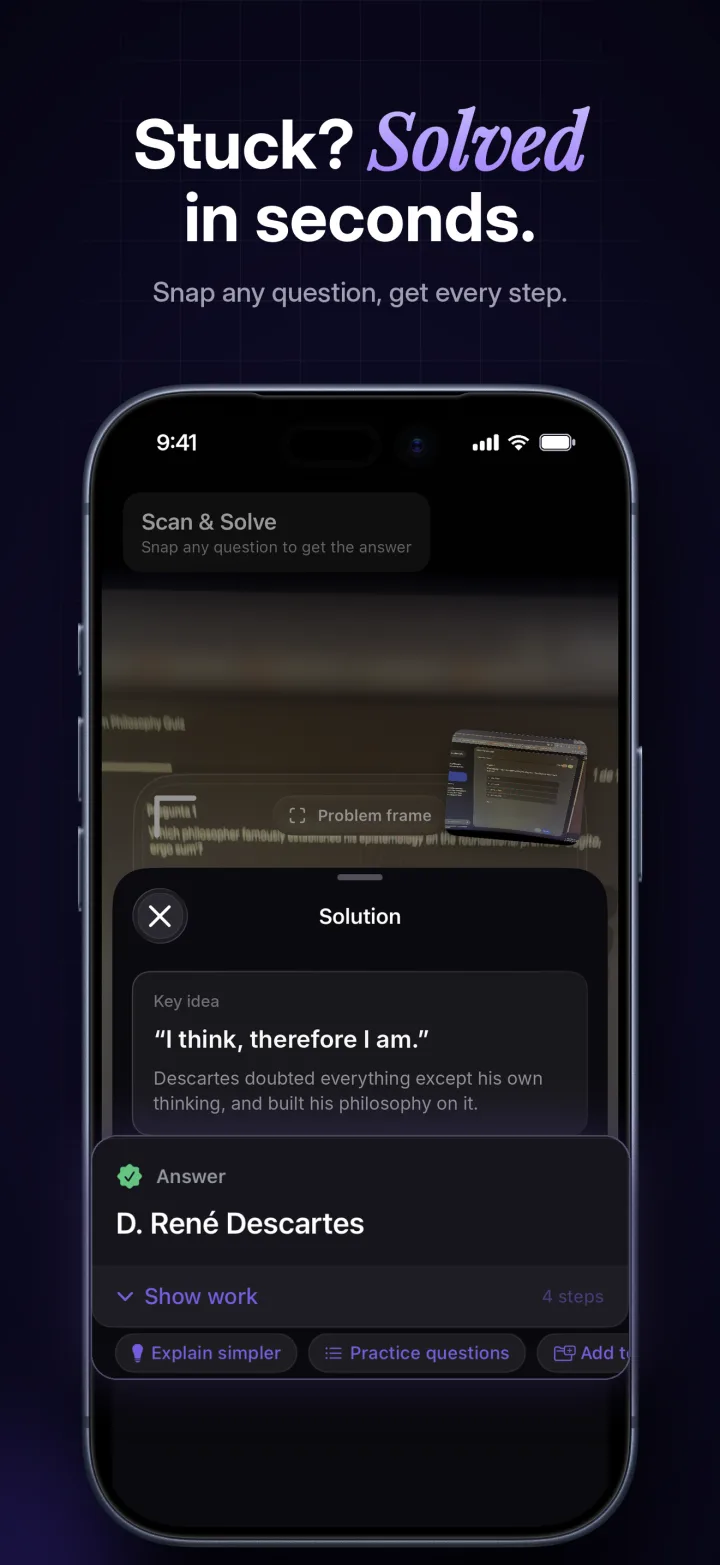
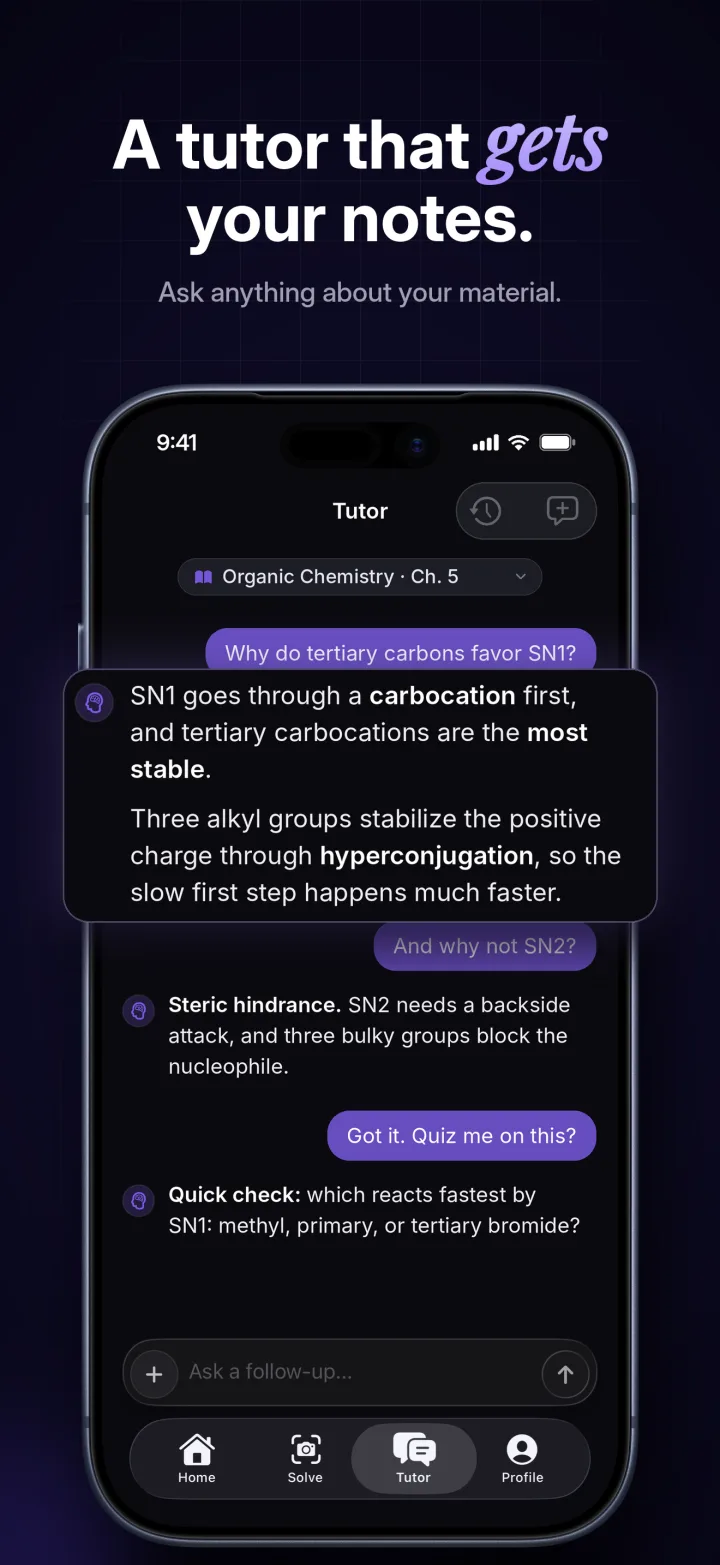
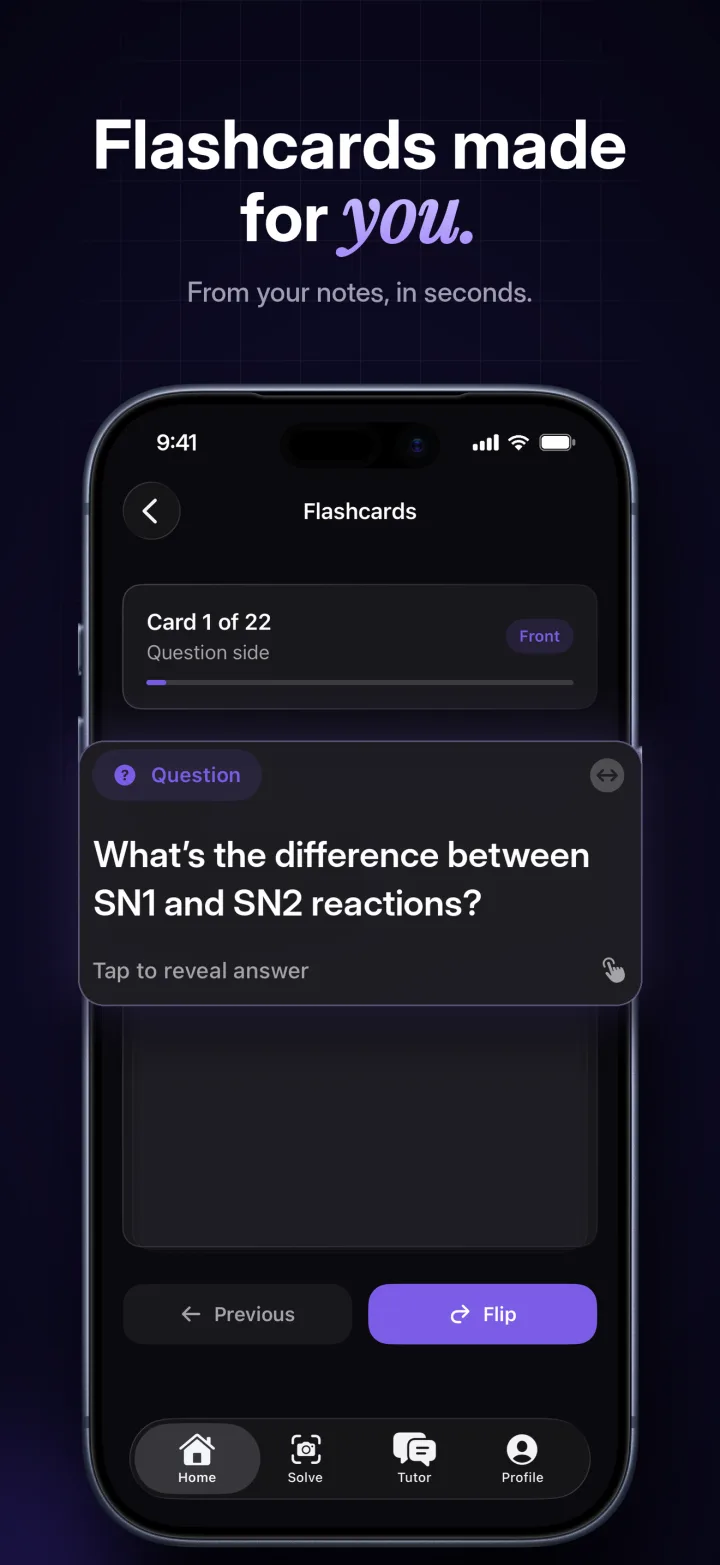
From class material to exam-ready in seconds
Everything starts with what your class already gave you. Bring it in however it arrives, choose how you want to study it, and keep asking questions until it makes sense, all from your phone.
1. Import any format
Take a photo of a worksheet or the whiteboard, open a PDF or lecture slides saved as PDF, paste a YouTube link or a webpage, or type in your class notes. Whatever your course runs on becomes study material.
- Camera photos
- PDFs and lecture slides
- YouTube links and webpages
- Class notes
2. Generate every study format
Pick the formats you want and StudiSpace builds them from your material. Every one comes from the same source, so your cards, summary and practice test agree with each other and with your course.
- AI flashcards
- Summary sheets
- Custom study guides
- Practice tests
- Audio podcasts
3. Ask your AI tutor
Stuck on a concept? Chat with a tutor that has read your uploaded notes, right on your iPhone or iPad. Ask it to explain a step again, give you an example or quiz you on the part you keep missing.
- Explains it another way
- Quizzes you on demand
- Answers from your notes
Students already study with StudiSpace.

“I never leave reviews but you saved me on my last test so you deserve it”
Maya R.

“So Studispace is getting more popular than what I thought, well deserved bc it helped me a lot too”
Jordan P.

“Don't forget about me when you make it”
Sofia L.

“The amount of times Studispace's snap and solve feature has saved me in tests is crazy.”
Ethan K.
“So you're telling me I've been using these other study apps when Studispace exists??? Ouuu lemme chill”
Amara C.
“It feels more useful than answer apps because it helps me understand what I've missed.”
Leo M.

“I love you Studispace”
Nina T.

“It gives structure fast: notes, practice, and review without setting up five different tools.”
Caleb S.

“Gang I don't get how almost nobody uses this 😭 keep gatekeeping bro don't go mainstream 😭”
Priya A.
StudiSpace app questions, answered
Is the StudiSpace iPhone and iPad app free to download?
Yes. StudiSpace is free to download on the App Store, and a free account can try every core feature: build study sets, turn them into audio podcasts, and ask the tutor and the solver questions. StudiSpace Pro unlocks unlimited use, and one subscription covers both the website and the app, because they share one account.
How does the photo homework solver work compared to apps like Photomath or Chegg?
Point your camera at a problem and StudiSpace reads it, solves it and shows each step with the reasoning behind it, so you learn the method instead of copying an answer. Unlike Photomath, it is not limited to math, and unlike Chegg, you can start without a subscription or waiting on an expert.
Do my flashcards, notes, and quizzes sync between the StudiSpace web app and iOS app?
Yes, automatically. Sign in on your phone with the same account and the same sign-in method you use on the web (Google, Apple or email) and every study set is already there, with its flashcards, notes and quizzes. Unlike Quizlet, the cards are written from your own material rather than found in someone else’s deck.
What file types and class materials can I upload on the mobile app?
On iPhone and iPad you can build a study set from a PDF (including lecture slides saved as PDF), photos from your camera or library, a YouTube link or webpage, or notes you type or paste. The tutor also takes images, PDFs, text and CSV files, and anything you upload on the website is in the app too.
Can I listen to my study notes as an audio podcast with my screen locked?
Yes. Turn a study set into a podcast episode and it keeps playing when you lock your phone or switch to another app, with playback controls on the lock screen and in Control Center. It is made for listening on a commute, at the gym or on the walk to class, without looking at a screen.
Which iPhone and iPad devices are supported?
StudiSpace runs on any iPhone with iOS 18 or later, which is every model from the iPhone XS and XR onward, and on any iPad with iPadOS 18 or later. The app is not available on Android; there, add the StudiSpace website to your home screen from the browser menu and it opens like an app.
Can't find what you're looking for? Contact support
Take StudiSpace with you
Download it free, sign in with the account you already have, and your study sets are waiting.